
Connector: Types, Uses, and Troubleshooting
Jun 10, 2025
Network Connectors Explained
Introduction
Electro-mechanical devices are meant to serve the movement of electric power or data from one point to another. There are views about what a connector is, the various types available to make a choice-from troubleshooting to actual use.
What Is A Connector?
An electrical connector is a device that joins two or more circuits together.
Basically, it takes current or data from one place to another.
Without connectors, your electronics would be glued, and perhaps never to really work.
Connectors are found in just about every electronic or electrical device.
They allow you to plug things in, unplug them, repair them, or replace them without cutting the wires.
So simple and yet powerful.
How Connectors Work
Most connectors have two parts:
● A male connector: This is the "plug." It usually has pins, blades, or exposed contacts.
● A female connector: This is the "socket," which holds the male part and has internal contacts or holes.
Once joined, the internal contacts come in contact with each other and allow electric current or data to flow.
When the connection is broken, then no current or signal will flow.
Think of connectors as two puzzle pieces.
If they fit, power flows. If not, sparks—or silence.
Connectors by Purpose
Not all connectors are the same.
They are built for different types of signals and for different environments.
The three broad categories are:
Power Connectors
● Handle large currents and voltages
● Used on outlets, motors, home wiring
Signal Connectors
● Cary low power signals
● Used in audio cables, sensors, and HDMI
Data Connectors
● Carry information, not electricity
● Examples are USB or Lightning or Ethernet
A few connectors are hybrids, like USB-C, which routes power as well as data.
Materials Used In Connectors
Good connectors need strong and reliable materials.
Here is what you will find inside most:
| Part | Material | Function |
|---|---|---|
| Housing | Plastic or rubber | Protects and insulates |
| Contact points | Copper, brass | Conducts electricity |
| Coating/plating | Nickel, tin, or gold | Prevents corrosion and wear |
| Locking clip | Metal or plastic | Secures the connection |
Gold is usually used in premium-grade connectors for anti-corrosive protection.
Everyday Examples
You're already using connectors right now:
● Phone charger connectors may come in USB or Lightning formats
● Your headphones use a 3.5-millimeter audio jack
● Wire connectors are inside your lamp's plug
● Tiny connectors link circuit boards and components together anywhere within devices.
Connector vs. Adapter
Something very commonly confused.
● A connector joins two matching interfaces
● An adapter lets two different connectors talk to each other
Example: A Lightning-to-USB adapter lets an iPhone connect to a regular charger.
Both ends have connectors; they just need help to match up.
Why Understanding Connectors Matters
If you use the wrong connector, things will not work, or worse, they can short out. Such things as selecting the right size, voltage rating, and type save you from headaches and repairs.
Whether you are working with wire connectors or plugging in a USB cable, it will help to know what works with which, and why.
Types Of Wire Connectors
Wire connectors join, or more wires together.
They provide a solid connection while keeping the one or both ends.
No sparks. No mess. Just smooth current flowing with safety.
Now, let's look at the most common types of wire connectors.
Twist-On Wire Connectors (Wire Nuts)
These are something you've perhaps seen in home wiring.
They look something like tiny plastic caps with coils in them.
How it works:
● Strip both wire ends
● Twist them together clockwise
● Screw on the cap tightly
The metal coil interior would grip the wires and hold them secure.
No crimping, no solder, just twist and done.
Best for: Residential wiring, ceiling fans, switches

Crimp Connectors
These appear as sleeves or terminals.
You put in the wire and clamp the connector using your crimping tool.
It provides a permanent connection.
If well-crimped, the wire cannot just come out unless you exert a lot of force.
Most common include:
● Butt connectors: Join two wires end to-end
● Ring terminals: Connect to screws or grounding points
● Spade connectors: Slide onto blades or posts
Best for: Automotive wiring, appliances, and electronics

Push-In (Push-Fit) Connectors
Fast and tool-free.
Strip the wire and push it straight in, click, it locks.
Inside, a spring-loaded clamp grabs onto the wire.
Some are reusable, others are not.
Best for: Home electrical boxes, lighting, low-voltage work

Lever Wire Connectors
These are more or less push-in connectors but Tag-alongs.
Flip the lever up, insert the wire, flip it down.
And that's that.
They are far easier to remove and reuse than push-in types.
Best for: Prototyping, smart home wiring, quick fixes

Solder Wire Connectors
You need a soldering iron first.
Melt metal to secure an electrical connection.
Not fast but very strong.
Usually found in permanent builds or tight spots.
Best for: Electronics, robotics, and repairs

Wire Connector Comparison Table
| Type | Reusable | Tools Needed | Common Use |
|---|---|---|---|
| Twist-On | Yes | None | Home wiring |
| Crimp | No | Crimping tool | Car and appliance circuits |
| Push-In | Sometimes | None | Light fixtures, outlets |
| Lever | Yes | None | Rewiring and testing setups |
| Solder | No | Soldering iron | Circuit boards and small parts |
Choosing just right wire connectors depends on your wires, your tools, and how permanent you want the connection to be.
Let's get along now to device connectors where cables and ports are the kings.
Types Of Cable And Device Connectors
The device cables connect to anything: your phone, your charger, your laptop or anything for that matter.
They transmit power, data, or both through the cables.
Let's check the most common types of connectors for personal devices and electronics.
USB Connectors
USB is the biggest connector.
Some types:
● USB-A: The classical flat plug
● USB-B: Square plug for printers
● USB-C: Small, reversible, and fast
● Mini/Micro USB: Old chargers for phones and devices
Used for: Charging, data transfer, accessories
USB-C is the future.
It can fast charge, as well as video output.

Audio Connectors
They transmit the analog sound.
The most common one is the 3.5mm jack, used for headphones.
Others are:
● 1/4-inch jacks: For guitars and mixers
● RCA connectors: Red/white plugs for stereo audio
● XLR connectors: For pro mics and loud audio equipment
Used for: Sound systems, headphones, instruments

Video and Display Connectors
They carry visual signals.
● HDMI: High-def audio plus video (TV, Monitor)
● DisplayPort: Like HDMI, but mostly for PCs
● VGA: Old-fangled analog video standard
● DVI: Rare nowadays, but once adored by desktop users
Used for: Monitors, projectors, TVs

Power Connectors
Made for higher voltages.
Barrel jacks: Low-wattage electronics like routers or speakers
Molex connectors: Desktop PC internal power lines
Two-prongs and three-prong plugs: Your standard wall power
Used for: To supply power to devices

Lightning Connector
This is a sole Apple Club.
Slim, reversible, handles both power and data.
But it is fragile.
Most of the users see the messages "liquid detected in lightning connector."
That means moisture somehow interferes with the connection.
Used for: iPhones, iPads, Apple accessories

Device Connector Summary Table
| Connector Type | Common Formats | Function | Devices Used In |
|---|---|---|---|
| USB | A, B, C, Micro, Mini | Data + Power | Phones, PCs, chargers |
| Audio | 3.5mm, RCA, XLR | Analog signal | Headphones, speakers |
| Video | HDMI, VGA, DisplayPort | Visual signal | TVs, monitors, projectors |
| Power | Barrel, Molex | Power only | Laptops, routers, appliances |
| Lightning | Apple Lightning | Data + Power | iPhones, iPads |
Connector Classifications By Function
Oh, how very different connectors are! Some pass high-voltage electricity.
Others may only carry data or signals.
Knowing what it does helps you pick the right one-and keep you out of big trouble.
Connectors can be divided into types based on where they go: power, signal, or data.
At times, they can do more than one job.
Power Connectors

While in the transfer of electrical current these connectors can appear to vary in intensity, sometimes a whole lot of it.
Common types:
● Barrel connector: For routers, cameras, and lights
● Molex: Power for internal drives within a PC
● IEC connector: Power cords for monitors and desktops
● Two-prong-and-three-prong AC plugs: Most remain in home appliances
They need to withstand heat, voltage, and interference.
Most are rated in volts (V) and amps (A).
In cases where current matters, not speed or data.
Signal Connectors

They carry analog and digital signals.
They don't really need much power, but they require clean transmission.
Examples:
● RCA cables: Red/white/yellow audio-video cords
● XLR: Pro mics and sound equipment
● Coaxial: Cable TV and antenna
● 3.5mm jack: Headphones and aux cables
A little corrosion to these can cause noise, distortion, or drop-outs.
Best for the transmission of sound, radio, or video signals.
Data Connectors

These carry digital information that is in bits and bytes.
Examples include:
● USB-invented for all data and charging
● Lightning connector-Apple-only for data + power
● Ethernet (RJ45)-Wired networking
● HDMI-Means video, audio, and data in one plug-money
Speed and compatibility would matter here.
● For instance, USB 3.0 is faster than USB 2.0.
● HDMI 2.1 has more features than HDMI 1.4.
Use these for inter-device communication; not for mere power.
Hybrid Connectors

Some connectors have more than one function.
They move power, signals, and data simultaneously.
USB-C is by far the most famous hybrid connector that charges laptops while sending video to a monitor.
HDMI carries indescribably high resolution video and surround sound through the same cable.
Lightning charges, syncs, and outputs audio.
These connectors are all convenient-but when one is damaged, they are much more susceptible to problems.
Function-Based Connector Table
| Connector Type | Carries | Examples | Common Use |
|---|---|---|---|
| Power | Electricity | Barrel, Molex, AC Plug | Charging, home appliances |
| Signal | Audio/Video | RCA, XLR, Coax | Music gear, TVs, audio systems |
| Data | Digital data | USB, Ethernet, HDMI | Computers, internet, displays |
| Hybrid | Power + data | USB-C, HDMI, Lightning | Phones, laptops, game consoles |
Understanding the function tells you what the connector is built for, and helps you avoid frying your gear.
Choosing The Right Connector
Choosing the right connector: It seems like an easy thing to do but really isn't compatible with the working nature of the thing. Picking a wrong connector may mean that the device is either useless or worse, damaged.
How to choose wire or device connectors.
Step 1: Know Your Voltage and Current
The first thing you need to ask yourself is: How much power am I pushing through this?
Connectors are rated for:
● Voltage (V): How strong is the electrical force?
● Current (A): How much electricity is flowing through it?
Using a 5A connector on a 15A circuit? Well, that's a fire waiting to happen.
Always take a careful look at the amp and voltage rating stamped or printed on the connector.
Step 2: Match the Wire Gauge
If your wires don't fit, your connection will not work.
Wire thickness is called gauge-the lower the number, the thicker the wire.
For example:
● 22 AWG: Thin; used for electronics
● 14 AWG: Used in household lights
● 10 AWG: Thick; for heavy-duty circuits
Most wire connectors are labeled with the gauge range they support.
Make sure your connector matches the wire size.
Step 3: Consider the Environment
Is this connector going to be in a wall? Outside? Near water?
Pick qualities such as:
● Waterproof rating (IP67 or higher)
● High-temperature plastic for the engine bay
● UV-resistant for outdoor use
For outdoor and high-heat environments, you'll need a more rugged connector.
Step 4: Pick the Connector Style
Would you prefer:
● Permanent connection (crimp/solder)
● A reusable one (lever or push-in)
● A smaller Negatron type
Each design has advantages and disadvantages concerning cost, time, and convenience.
Connector Selection Table
| Need | Best Connector Type | Notes |
|---|---|---|
| Reusability | Lever, push-in | Great for testing or changes |
| High current | Crimp, screw-terminal | Strong, permanent connections |
| Wet/outdoor location | Waterproof crimp or plug | Look for IP67 or better rating |
| Low-voltage electronics | Solder or micro connectors | Use precision connectors |
| Simple home wiring | Twist-on (wire nut) | Fast and tool-free |
Troubleshooting Connectors
Connectors do not last forever. They wear out, corrode, melt, or just stop functioning. Let's check the most common problems with connectors and how to fix them.
Common Connector Issues
The following are the most common things that may occur with connectors:
● Loose fit: The plug just doesn’t stay in or wobbles
● Corrosion: Rust or buildup on contacts
● Overheating: Plastic melting or smelling burnt
● Broken pins: Metal parts snapping or bending
● No continuity: Electricity just doesn't flow through
These will cause power loss, intermittent signals, or complete device failure.
How To Diagnose The Problem
You do not need fancy tools; just grab a multimeter and some patience.
● Unplug the device first, just as a safety precaution.
● Visually inspect the connector.
● Look for burn marks, bent pins, or cracks.
● A multimeter in continuity mode is useful here.
● Touch the probes to both ends of the connector.
● If it beeps or shows near-zero resistance, it's working.
● No beep? It's broken somewhere inside.
Cleaning The Connector
Clean the connector before replacing it, if dirty-looking.
Use:
● Isopropyl alcohol (90%+)
● A soft toothbrush or cotton swab
● Compressed air to blow out dust
Avoid water and metal tools-they will make it worse.
Let the connector dry completely before plugging it back in.
When To Replace The Connector
If the cleaning and testing do zilch, it is likely time to replace it.
Replace if:
● The contacts are worn out
● The pins are snapped or jammed
● The housing is cracked or melted
● It keeps disconnecting randomly
Replacement wire connectors can be bought at hardware stores.
For device connectors like USB or Lightning, replacement may require soldering.
Quick Troubleshooting Table
| Problem | Likely Cause | Fix |
|---|---|---|
| No power | Corroded or broken | Clean or replace connector |
| Wobbly fit | Loose housing | Replace or re-crimp |
| Overheating | Undersized connector | Upgrade to higher-rated model |
| Intermittent flow | Dirty contacts | Use isopropyl and reseat plug |
| No continuity | Broken wire or pin | Check with multimeter, replace |
Connectors are frequently responsible for underperforming in your setup.
Just by solving the issues with connectors, you may have fixed 90% of power or signal disruption cases, without ever needing to replace the entire gadget.
Liquid Detected In Lightning Connector – What It Means

Have you ever seen this when you plug in your iPhone?
"Liquid Detected in Lightning Connector."
That very one! Let's break down the issue and fix it.
What This Message Means
Your iPhone has sensors inside the Lightning port.
They detect water, sweat, humidity, or any liquid.
When moisture is found, it blocks charging to protect your phone.
It’s not a bug. It’s a safety feature.
How Liquid Gets In
The usual suspects are:
● Charging the phone after a wet walk
● With wet hands or damp pockets
● Spilling drinks around it
● Sweat from workouts (especially with armbands)
Sometimes even pure humidity can be enough to trigger the warning-even if nothing looks wet.
What should I do right away
● Unplug the charger right now
● DO NOT use rice- it doesn't help
● Light tapping on the back of your phone with the Lightning port downwards
● Use a soft cloth to wipe dry
● Allow it to air-dry for about 30 minutes
Wireless charging should still be good to go if you need to use that.
How to Dry It Even More Thoroughly
If the warning stays on:
● Use the fan to blow a gentle stream of air across the port
● Place the phone in front of a dehumidifier
● Avoid heating—do not use a hair dryer or put it in the oven!
● After a couple of hours, return to plug the charger in.
● If the message is gone, then it is a good sign.
Can It Still Not Charge?
Possible Lightning connector damage.
Try:
● Another cable
● A new cleaning brush for Lightning connector
● Or Apple Support if it totally refuses to charge
Quick Response Table
| Situation | What To Do |
|---|---|
| Just saw the message | Unplug and air dry |
| Port feels wet | Dry with cloth, wait 30 mins |
| Still not charging | Try another cable |
| Multiple errors this week | Clean or replace the connector |
If that message keeps popping up for you, other explanations could also be that your Lightning connector is worn out, or your phone has spent quite a number of days in a humid environment.
Either way, now you know what to do.
Connector Safety And Standards
Make a smart choice or make a safe choice: both include ensuring your connector is right.
A connector can catch fire, overheat, spark, or melt if not rated correctly.
This section helps you avoid fire hazards and make safety codes.
Why Safety Matters
A cheap or mismatched connector might still work-for a while.
Power loss; equipment damage; eventual house fires-the more heat buildup, the loosening of wires, would be gone.
Hence, manufacturers or electricians follow certified standards for safety.
Certificates to Look for
Look for these labels on wire connectors or power cables:
● UL (Underwriters Laboratories) – Meets US safety tests
● CE (Conformité Européenne) – Approved for sale in the European Union
● RoHS – Does not contain hazardous substances
● CSA – Canadian Safety Approval
If none of these labels is present on a connector-it ought never to be trusted with critical systems.
IP rating feed for environmental protection
Working somewhere outdoors or near a water source? Then IP ratings are essential.
IP stands for Ingress Protection, which tells us exactly how resistant a given connector is to dust and water.
Here are a few of the ratings:
● IP20-Basic indoor-only use, no water protection
● IP65-Dust-tight, protected against water jets
● IP67-Submersible for 30 minutes at 1 meter
● IP68-The highest level of protection, allows for underwater uses at specified depths for longer periods
● IP67 and up for outdoor wiring, boat electronics, and anything in high-moisture areas.
Following Codes and Best Practice
For home wiring, connectors must be in accordance with the National Electrical Code (NEC) in the US.
NEC-approved connectors:
● Have a voltage and current rating
● Are flame-resistant
● Have been tested for durability and load capacity
Your local building inspector will expect this, especially in remodels or new installations.
Fire Prevention Tips
● Do not reuse old cracked or melted connectors
● Do not mix wire gauges together on one connector
● Do not overload a connector beyond its rated amp
● Do not use indoor-rated connectors outdoors
Connector Safety Checklist
| Requirement | What To Look For |
|---|---|
| Certification | UL, CE, CSA, RoHS |
| Outdoor rating | IP67 or IP68 |
| Current/voltage rating | Marked on the packaging |
| Temperature tolerance | Especially for engines |
| NEC compliance | Required for home wiring |
Being careful with connectors prevents dangerous situations.
Safe wiring is smart wiring.
Frequently Asked Questions (FAQs)
Why does my iPhone say 'liquid detected in lightning connector'?
The phone senses moisture in the Lightning port.
Unplug it and let it air dry before trying again.
What is the safest wire connector to use at home?
Use a UL-listed twist-on or lever-type wire connector rated for your wire gauge and voltage.
Are all USB connectors the same?
No. USB computing has more various types (A, B, C, Mini, Micro) and speeds (2.0, 3.0, 3.2).
Always look for compatibility.
Can I reuse these wire connectors?
Some yes; some no.
Twist-on and lever-type connectors are reusable.
Others are not, including crimp and solder connectors.
How can I get a stuck connector off safely?
Turn off the power.
Grip the housing of the connector; never pull the wire.
If needed, use a connector release tool.
Publicação AnteriorPrinted Circuit Board Explained
Próxima PublicaçãoSD Cards: Everything You Need To Know
Semelhante

Flip-flops are digital circuits that sto..

Sensors detect changes in the environmen..

Oscillators are circuits that generate r..

Thermopiles are sensors that convert hea..

CR123 and CR123A batteries are the same ..

The L1154F is an alkaline button cell, s..
QUENTE

AA batteries are everyday power sources ..
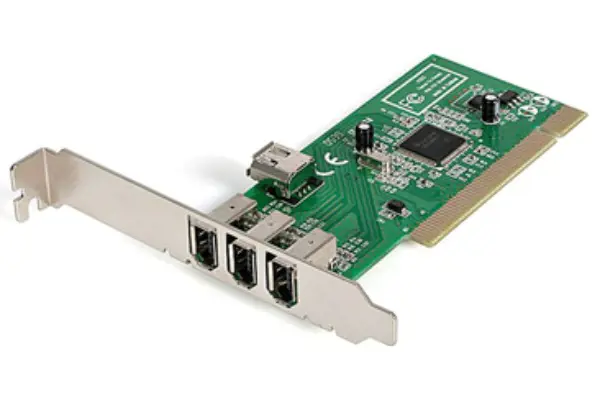
Adapter cards enhance computers by addin..

DC voltage is a steady electrical potent..

AG10 battery equivalents include 189, LR..

A current divider is a parallel circuit ..